
How to Pull and Analyze Polymarket Event Data (No-Code)
Learn how to connect to Polymarket’s Events List endpoint, filter and analyze structured event data, and export datasets, from anywhere in the world — no code required.
Lychee is a prediction market data platform for analyzing live and historical Kalshi and Polymarket data.
Lychee’s no-code platform lets you interact with structured data as if it were a spreadsheet — not raw JSON. It provides a framework for analyzing prediction market data, including the most up-to-date Polymarket market, trade, user, and event data.
In addition to Polymarket, Lychee connects to sources like CoinGecko, Reddit, Twitter, and government datasets — data streams that would typically take developers weeks to ingest and structure.
Lychee also includes built-in analysis scripts, charting tools, and presentation features so you can generate shareable figures, statistics, and dashboards from structured datasets.
The Polymarket Events endpoint returns structured metadata about every event listed on the platform, making it the foundation for systematic prediction market analysis.
If you’re serious about building a quantitative edge, understanding how to access clean event-level data is the first step.
In this guide, we focus specifically on connecting to and utilizing the Polymarket Events endpoint.
What Is the Polymarket Events Endpoint?
As stated in the Polymarket documentation, “Every prediction on Polymarket is structured around two core concepts: markets and events.”
We’ll cover markets in greater detail in a separate guide. For now, it’s important to understand how events organize related markets into a coherent structure.
A market in Polymarket represents a fundamental binary question with a "Yes/No" outcome. Example:
Will the Iranian regime fall by June 30? (Leading market as of this publication)
An event ties groups of markets together. Events can be:
Single-Market Events
- Event: Will the Iranian regime fall by June 30?
Market: Will the Iranian regime fall by June 30? (Yes/No)
Multi-Market Events
- Event: Fed decision in March?
Market: 50+ bps decrease (Yes/No)
Market: 25 bps decrease (Yes/No)
Market: No change (Yes/No)
Market: 25 bps increase (Yes/No)
Understanding this hierarchy is essential if you want to filter, aggregate, or export meaningful datasets.
What Is the Events Endpoint?
The Events endpoint returns high-level metadata about every event listed on Polymarket. Each event includes:
- Title
- Description
- Category (Crypto, Politics, Sports, etc.)
- Status (Open or Closed)
- Tags
- Liquidity and volume fields
- A nested list of associated markets
Polymarket structures its data hierarchically:
Event → Markets → Outcomes
For example:
“Which crypto company will ZachXBT expose for insider trading?”
That event may contain multiple markets, such as:
- Axiom
- Metaroa
- Pump.fun
- Robinhood
Each market represents an outcome within that event.
Why Event-Level Data Matters
Most users interact with Polymarket through the front-end interface. Accessing the Events endpoint directly allows you to:
1. Analyze Market Structure
- How many events are currently open?
- Which categories are growing?
- What types of events generate the most volume?
2. Identify Narrative Trends
By grouping events by tag or category, you can track:
- Emerging political narratives
- Crypto ecosystem speculation
- Recurring event themes
3. Compare Liquidity Across Categories
Sort events by:
- Total volume
- Liquidity
- Status (open vs closed)
This shows where capital is concentrating.
4. Export Structured Data
Instead of manually browsing the UI, you can export event-level data to:
- CSV
- Excel
- BI tools
- Python environments
With Lychee, this entire workflow is no-code.
Who This Is For
This workflow is useful for:
- Quantitative traders analyzing prediction market structure
- Researchers studying crowd forecasting behavior
- Crypto analysts tracking narrative shifts
- Journalists monitoring high-signal events
- Builders creating dashboards or reports
If you want structured insight — not screenshots — this endpoint is foundational.
Why Use Lychee Instead of Raw API Calls?
Working directly with APIs requires:
- Authentication handling
- Parsing nested JSON
- Writing scripts
- Managing data storage
Lychee removes that complexity.
You can:
- Connect directly to the Polymarket Events endpoint
- Automatically parse nested fields
- Filter and sort visually
- Transform data
- Export clean datasets
No scripts.
No backend setup.
No JSON wrangling.
This is where “quant in a box” becomes real.
What You Can Do After Connecting the Events Endpoint
Once the data is inside Lychee, you can:
- Filter events by category (e.g., Crypto only)
- Filter by status (open vs closed)
- Sort by volume or liquidity
- Search by keyword
- Expand nested markets
- Export structured event data
This lays the foundation for advanced workflows, including:
- Joining event data with trades endpoint data
- Charting volume by category
- Tracking open interest trends
- Building recurring market structure reports
Each of these will be covered in future guides.
Step-by-Step: Connecting the Polymarket Events Endpoint in Lychee
Follow these steps:
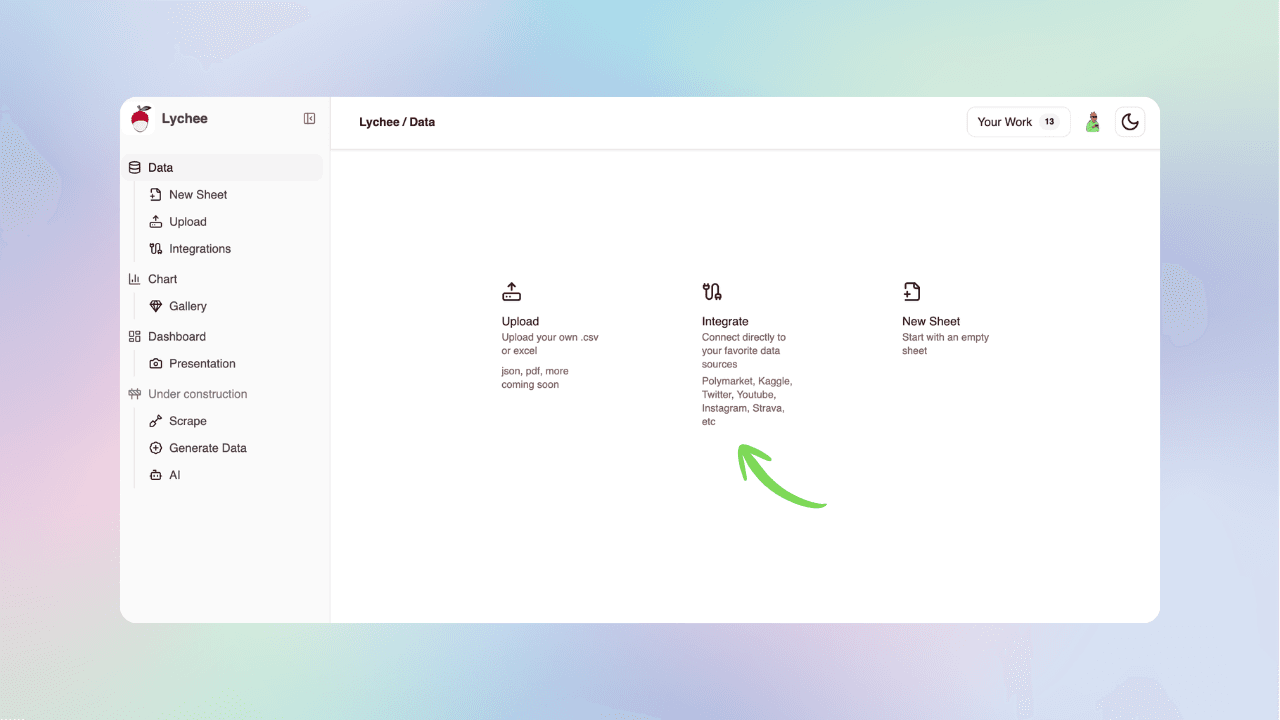
1. Head to the Integrations Panel
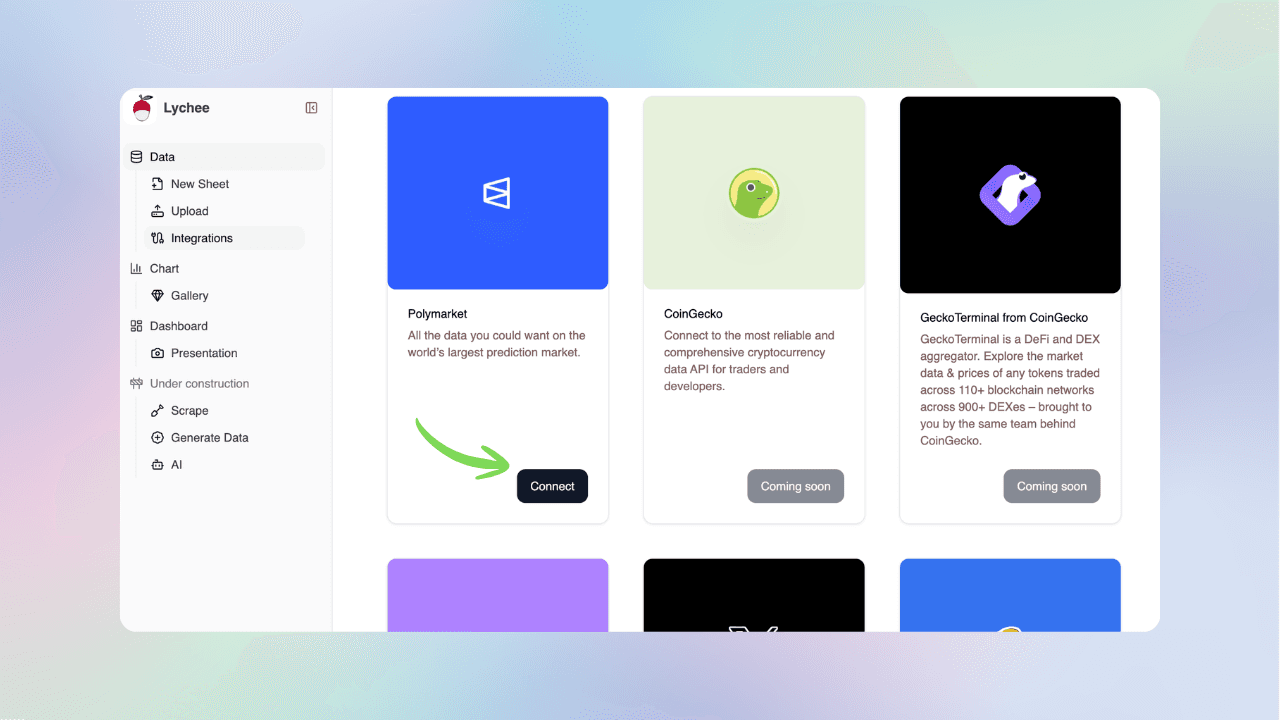
2. Select Polymarket
This loads the available Polymarket API endpoints inside Lychee.
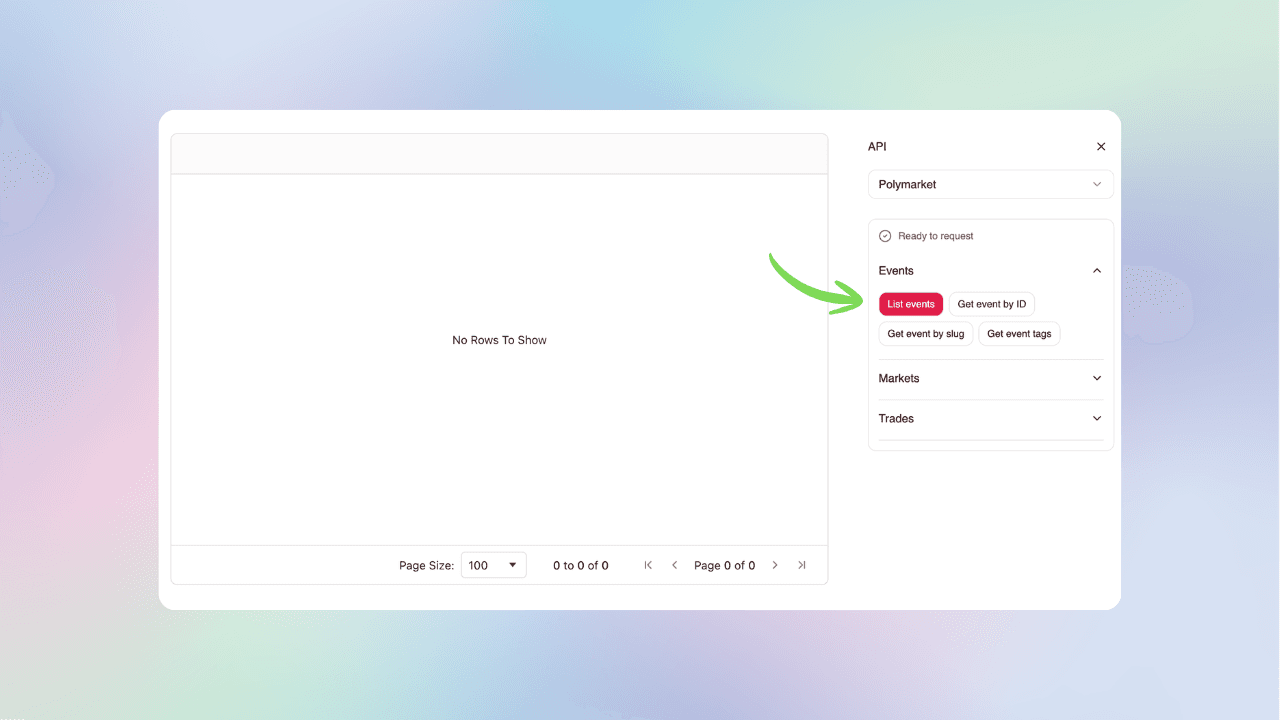
3. Fetch the Dataset
Select Events → List events to load all Polymarket events. The response includes nested markets and metadata.
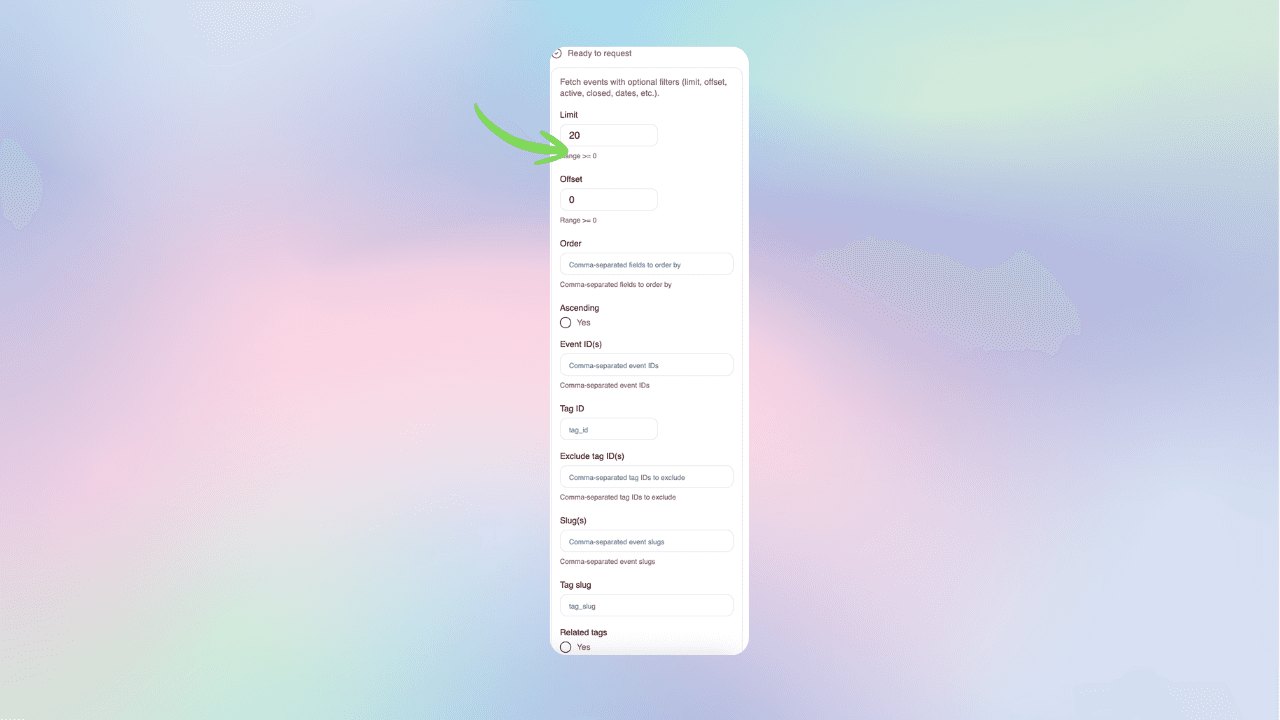
4. Select Your API Parameters
Each event contains a list of markets. Specify query parameters to get the dataset you need.
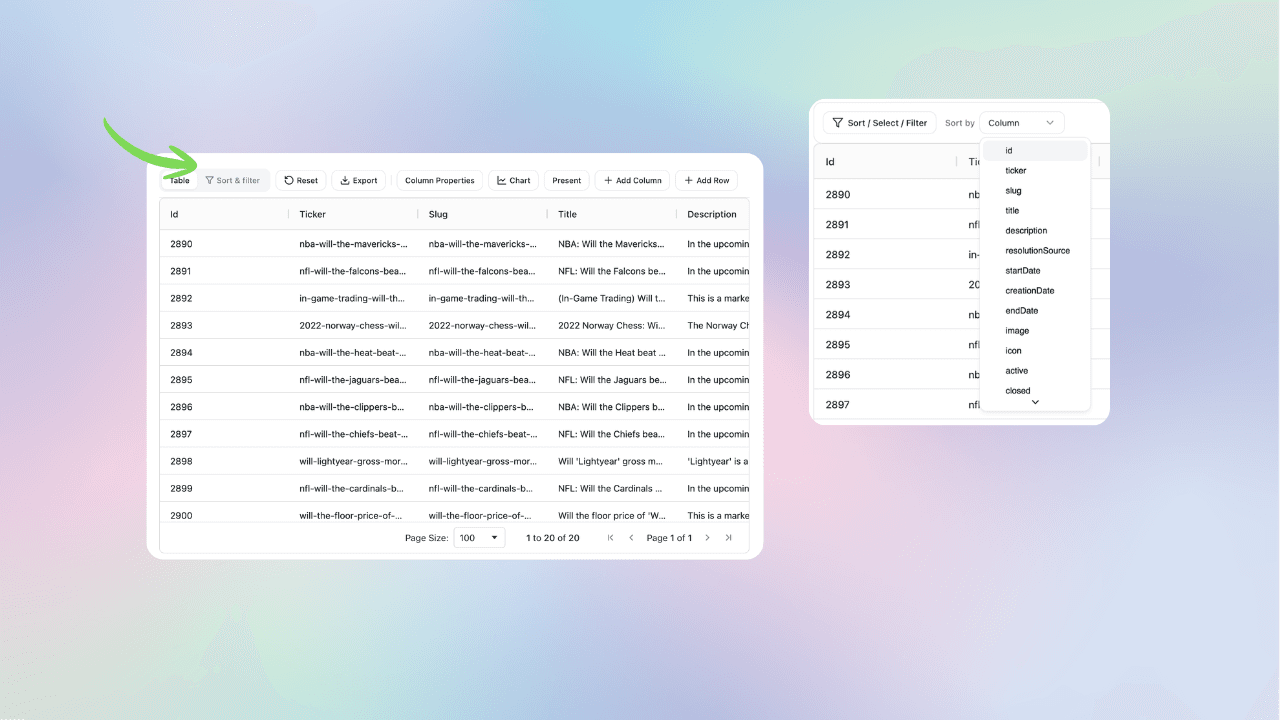
5. Apply Sort, Filter, and Other Operations
Filter events by category (e.g., Crypto), status (open/closed), or search by keyword. Sort by volume or liquidity to identify high-activity events.
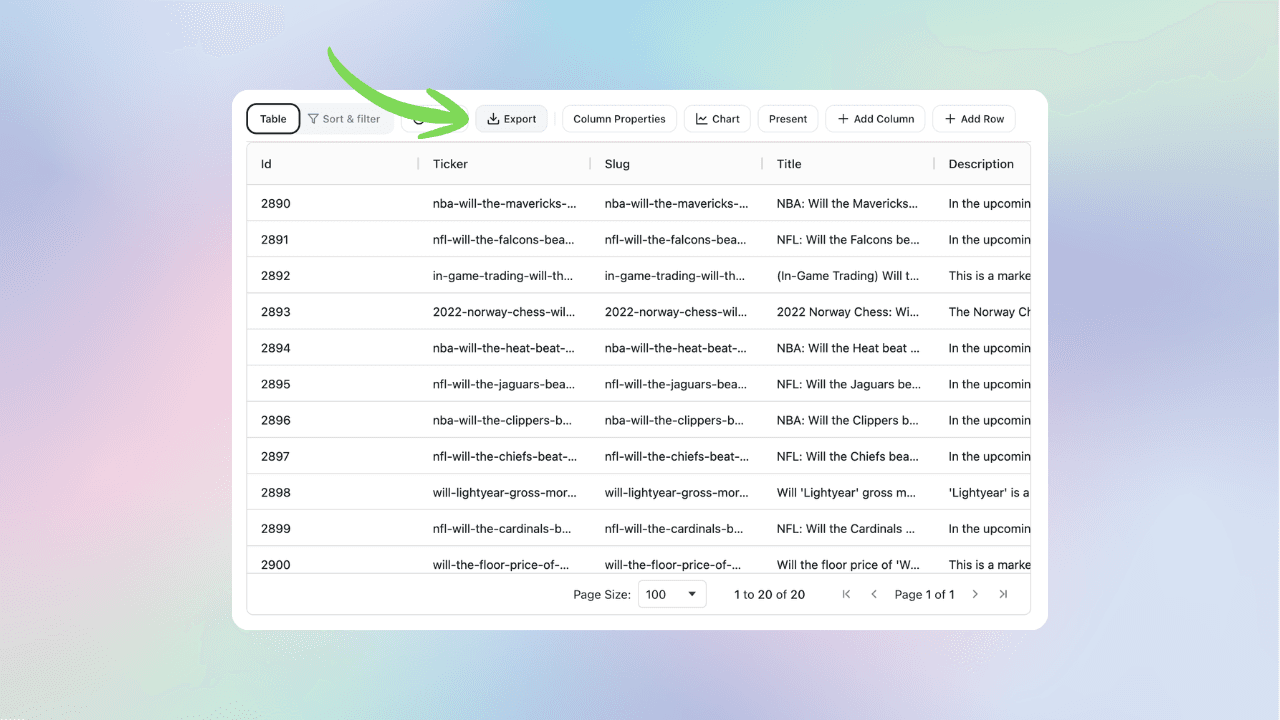
6. Export Data
Export the filtered dataset to CSV or Excel, or continue your analysis in Lychee’s charting and dashboard tools.
How This Fits Into the Larger Polymarket API Series
This guide is part of a structured walkthrough of Polymarket’s API inside Lychee. Upcoming guides will cover:
- Other Events endpoints
- Markets endpoint
- Trades endpoint
- Orderbook data
- Charting event-level metrics
- Joining datasets for advanced analysis
The goal is to move from:
Raw endpoint → Structured dataset → Visualization → Insight → Share
By the end of this series, you’ll analyze prediction markets without writing a single line of code.
Final Thoughts
The Polymarket Events endpoint provides the structural backbone of the platform.
By connecting it to Lychee, you turn static API responses into interactive datasets.
Filter them.
Sort them.
Export them.
Build on them.
This is the first layer of prediction market intelligence — the foundation for deeper quantitative analysis.
From there you can explore live Polymarket data for the same events without writing code.
Go from raw markets to charts and dashboards in seconds—no code, no CSVs.
Free to explore here · Polymarket, Kalshi, Chainlink & more
More reading
How to Stream Live Polymarket Prices and Build Real-Time Charts (No-Code)
Learn how to stream real-time Polymarket market data using the WebSocket market channel and build live prediction market charts — no code required.
How to Compare Kalshi and Polymarket Odds Live
Learn how to compare matching Kalshi and Polymarket odds in real time, verify settlement rules, track price gaps, and assess whether a difference is meaningful.
Compare Kalshi and Polymarket Odds in Real Time
Find matching prediction markets across Kalshi and Polymarket, then compare their live YES/NO prices, charts, trading activity, volume, spreads and order books in one view. Search by event or ticker and see where the two markets agree—or disagree. Free to use with no signup required.
Why Random Sampling Matters in Data Analysis: A Polymarket Case Study
Learn how random sampling, sample size, and representative samples work through 15 seeded samples of 383,707 historical Polymarket markets.
How to Find a Polymarket Market ID, Token ID, Asset ID & Condition ID
Learn how to find Polymarket market IDs, token IDs, asset IDs, condition IDs, slugs, and clobTokenIds for API queries, price history, orderbooks, and market analysis.
How to Track Polymarket Odds Over Time (Visualize Probability Changes)
Learn how to track Polymarket odds over time, visualize probability changes, and measure probability momentum using interactive charts. Build a live Polymarket odds tracker without coding.